
You track guest post placements by keeping one live sheet per campaign with the site, the live URL, the anchor text, the target page, the date it went live, and a status column you check every week. That is the whole system. Everything else — tools, alerts, reports — is just a faster way of doing the same five checks.
I learned this the hard way. Years ago I placed a batch of guest posts for a client, sent the report, and moved on. Three months later the client asked why one of their best keywords had slipped. I went back and checked: four of the twelve links were gone. One site had redesigned and dropped the post entirely. Two had quietly switched my links to nofollow. One had changed my anchor text to the site’s brand name. Nobody told me. Nobody was going to tell me. Since that day, I track every placement like it is a paid asset — because it is.
Why tracking guest post placements matters more than getting them
A guest post you do not track is a link you do not own. Placements change after they go live, and the changes are almost never in your favour:
- The post gets deleted during a site cleanup or redesign.
- Your link gets switched from dofollow to nofollow.
- The anchor text gets edited to something generic.
- The page gets noindexed, or the whole site goes down.
- The article stays live but your link is removed in an “update.”
None of these show up in your inbox. The only way you find out is by checking. And the difference between catching a lost link in week one and finding it in month four is the difference between a quick email to the editor and a dead placement you have already paid for.
That is why I treat tracking as part of the placement, not an afterthought. The placement is not finished when the article goes live. It is finished when the link is verified live, indexed, and checked again a month later.
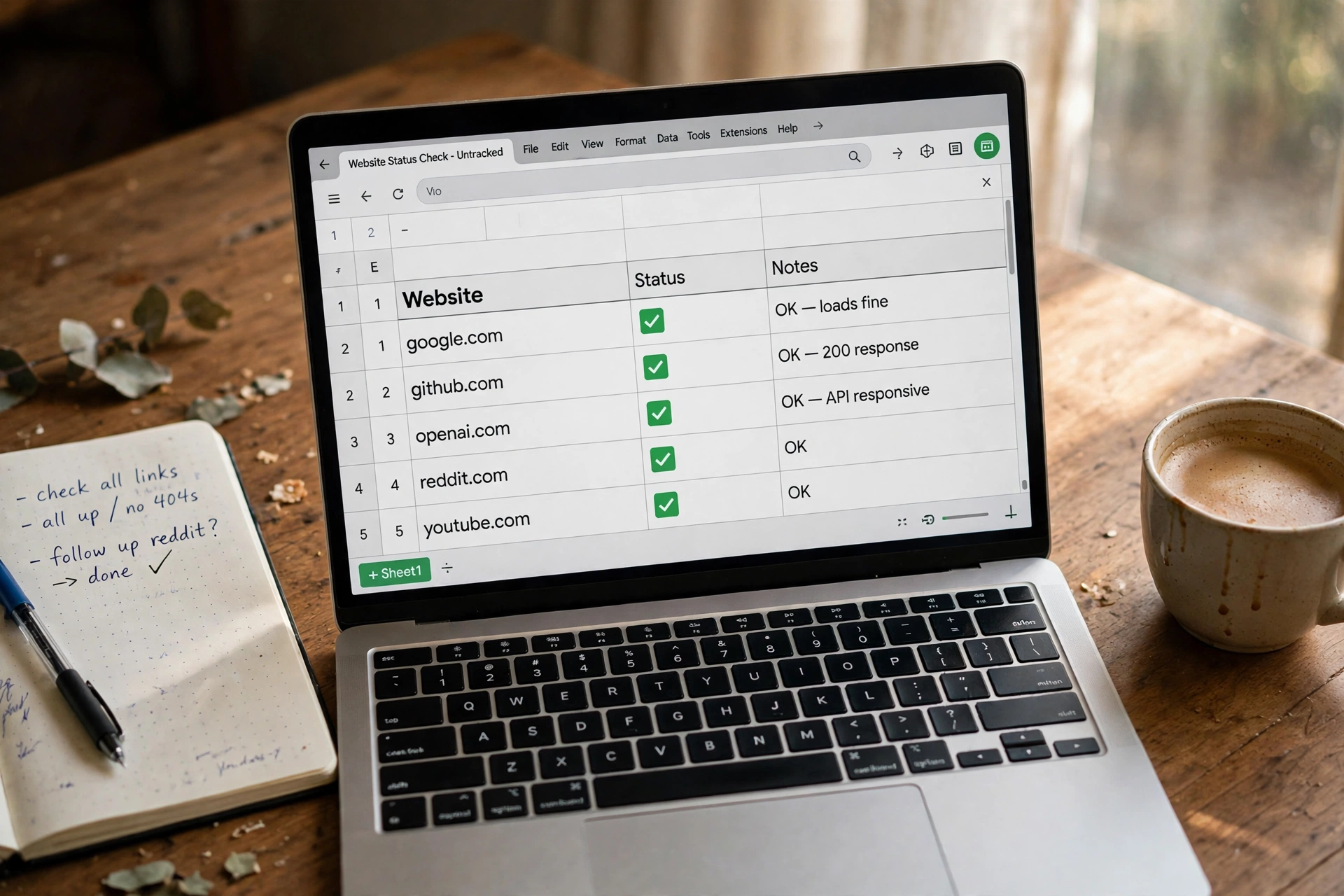
The tracking sheet I actually use
I keep it simple on purpose. A spreadsheet with one row per placement and these columns:
| Column | What goes in it |
|---|---|
| Website | The site that published the post |
| Live URL | The full URL of the published article |
| Anchor text | The exact anchor text used |
| Target page | The page on your site the link points to |
| Date live | The day the post went live |
| Link status | Live / Nofollow / Changed / Removed |
| Indexed? | Yes / No / Not checked |
| Contact | The editor or site owner who placed it |
| Cost | What the placement cost, if anything |
| Notes | Anything odd — slow site, editor slow to reply, etc. |
That is it. No fancy tool needed to start. I have run campaigns of fifty placements on a sheet exactly like this, and it works because it forces you to look at every single link, one row at a time.
If you prefer a tool, Google Search Console, Ahrefs, and Semrush all have backlink reports that will flag lost links for you. They are good for catching problems at scale. But I still keep the sheet, because tools tell you a link disappeared — they do not tell you who to email, what you paid, or what the anchor was supposed to be. The sheet holds the context. The tool holds the alert.
The 48-hour check (the habit that saves most links)
Here is the practitioner-only part — the thing nobody writes in the generic guides, because it only comes from losing links.
Check every placement within 48 hours of it going live.
That first check is where you catch almost everything: the wrong anchor, a nofollow tag the editor forgot to mention, a link pointing at the wrong page, a typo in the URL. In the first two days, the editor still remembers your post, the thread is still fresh, and a fix takes one reply. Two months later, the same fix takes three follow-ups and a favour.
My routine for each new placement:
- Open the live article and click the link. Does it land on the right page?
- Check the anchor text matches what was agreed.
- Check the link is dofollow (right-click, inspect, or use a free link checker — it takes ten seconds).
- Note the date live in the sheet and set a calendar reminder for the 30-day check.
That is four minutes per placement. It has saved me more money than any tool I pay for.
The weekly and monthly routine
Once placements are live, tracking becomes a routine, not a project:
Weekly (15 minutes): Open the sheet, filter for anything marked “check” or anything that went live that week, and verify those rows. Scan your backlink tool’s lost-links report if you use one.
Monthly (30–60 minutes): Go through every live row. Click through a sample — I check all of them on smaller campaigns, and on bigger ones I check every link at least once a quarter. Update the status column. Email any editor whose link changed or disappeared, politely, with the original agreement attached.
Quarterly: Look at the whole picture. Which sites kept your links intact? Which ones kept changing them? That tells you who to work with again — and who to drop. I have a short list of sites I will never pay again, and every name on it got there because of what the quarterly check showed me.
What to do when a link disappears or changes
First, do not panic and do not accuse anyone. Email the editor with the facts: the article URL, the date it went live, what the link was supposed to be, and what it is now. Most of the time it was a redesign, a plugin, or an honest mistake, and they will fix it.
If they do not reply in a week, follow up once. If they still do not reply, mark the row “lost,” note the loss in your report to the client, and move on. Do not keep chasing a dead placement for a month — your time is worth more than one link.
One more thing I do that most people skip: I screenshot the live placement on the day it goes live. A dated screenshot of the article with your link visible is the best evidence you will ever have in a dispute, and it costs you five seconds.
Tools that help (and when you do not need them)
- A spreadsheet (Google Sheets or Excel): enough for up to a hundred placements. Start here.
- Google Search Console: free, shows you which external sites link to you. Good for a monthly cross-check, but slow to update.
- Ahrefs / Semrush: paid, but their lost-backlink alerts catch removals you would miss by hand. Worth it once you are tracking hundreds of links.
- A link-monitoring tool (e.g. Linkody, Monitor Backlinks): sends you an email the day a link changes status. Useful if you manage placements for clients and need to report fast.
The honest truth: the tool matters far less than the habit. I have seen agencies with expensive tools lose links because nobody opened the dashboard. A sheet you actually check beats a dashboard you ignore.
How tracking connects to reporting
If you place guest posts for clients, your tracking sheet is your report. Clients do not want a list of articles — they want proof the links are still there. My monthly client report is literally the sheet, filtered to their campaign, with a short note on anything that changed and what I did about it.
That transparency is also why clients stay. Anyone can buy a guest post. Very few people can show, six months later, that the link is still live, still dofollow, and still pointing at the right page. Tracking is what turns a one-off placement into a service worth paying for every month.
For more on the placements themselves, see my guide to guest post placements and the guest posting site list I work from. If you are choosing who to place with, my notes on guest posting agencies will help you sort the reliable ones from the rest.
FAQ
How often should I check my guest post placements?
Check each placement within 48 hours of going live, then once a month after that. A weekly scan of new placements plus a monthly full check is enough for most campaigns.
Can I track guest post placements for free?
Yes. A spreadsheet and Google Search Console cost nothing and cover the essentials. Paid tools only become worth it when you are tracking hundreds of links across many clients.
What is the most common reason a guest post link disappears?
In my experience, site redesigns and cleanups. An editor deletes old posts or rebuilds the site, and your article goes with it. The second most common is the link being switched to nofollow without telling you.
Should I tell the client when a link is lost?
Yes, always — and tell them what you did about it. Clients find out eventually, and finding out from you with a fix already in motion builds far more trust than a perfect report that hides a loss.
Does a nofollow guest post link still have value?
It can still bring referral traffic and brand visibility, and it adds natural variety to a link profile. But if you paid for a dofollow link and got a nofollow one, that is a changed deal — raise it with the editor.
About the author
Junaid Ashraf is the Founder & CEO of JD SEO Agency, where he runs guest posting and link building campaigns for SaaS and iGaming brands. He has placed guest posts on hundreds of sites and still checks every single link himself.
How do you track your guest post placements — spreadsheet, tool, or not at all yet? Tell me in the comments. I read every one, and I answer the practical questions.