
Most SaaS blogs never drive a single signup. They rank, they get traffic, they even get shared, and then nothing happens. No trial. No demo. No paying customer. That is not a traffic problem. It is a page problem.
The pages that do drive signups are not blog posts. They are the pages a buyer opens when they are already close to a decision: comparison pages, alternative pages, integration pages and use-case pages. Build those first, point your links at them, and your SEO stops being a traffic report and starts being a sales channel.
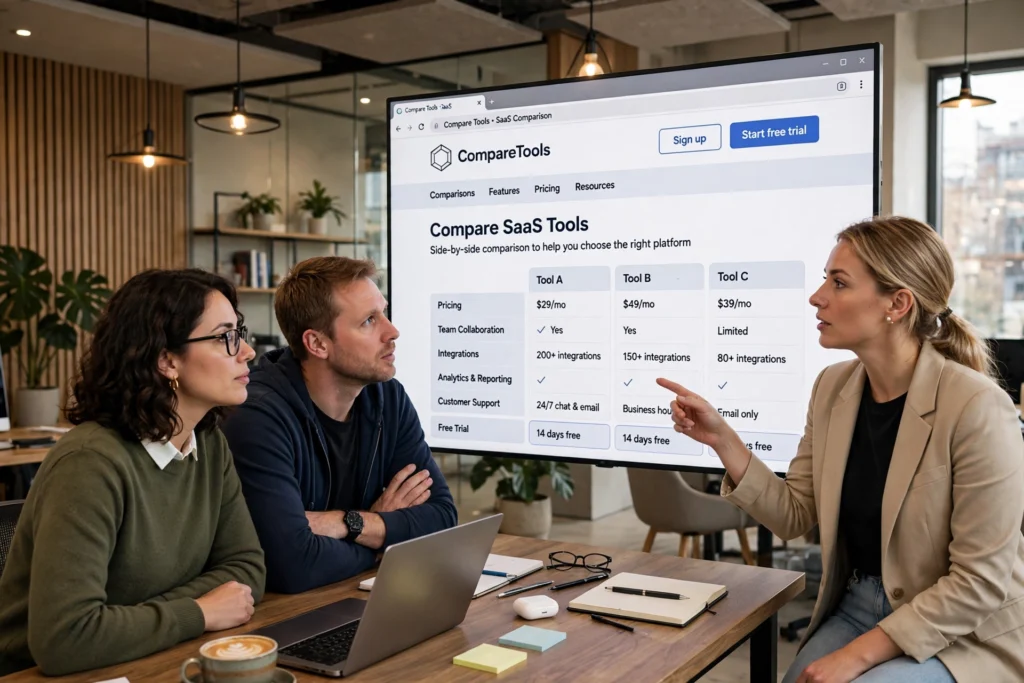
Why most SaaS SEO misses the signup
SaaS buyers do not search like blog readers. A blog reader searches for ideas. A buyer searches for a solution, then for proof, then for a comparison. They search for software for a specific job, for an alternative to the tool they already use, and for whether a product integrates with the stack they already pay for. If your site only offers blog posts to that buyer, you are answering a question they stopped asking three searches ago. The blog can still help, but it should feed the pages that sell, not replace them.
1. Comparison pages: the highest-intent page you can build
Comparison pages target searches like your product versus a named competitor, or one category of tool versus another. The visitor already knows the category and is narrowing a shortlist. That is why these pages convert at multiples of blog traffic. A good comparison page is honest about where a competitor is stronger, specific about where you win, and clear about who each product is for. It should end with a single, obvious next step: start a trial, book a demo, or see pricing. Vague comparisons that claim you win at everything convince no one, and buyers can tell.
2. Alternative pages: catch buyers leaving a competitor
Alternative pages target people searching for an alternative to a specific product. They are often frustrated, price-sensitive, or outgrowing their current tool, which makes them unusually ready to switch. The best alternative pages name the reasons people leave, migration, pricing, support, a missing feature, and show, step by step, how switching works. Remove the fear of switching and you remove the main reason a ready buyer does not sign up. These pages also tend to be easier to rank for than head terms, because fewer competitors bother to build them properly.
3. Integration pages: low competition, high intent
Integration pages answer a very specific question: does this product work with the tools I already use? A buyer searching for an integration is already imagining your product inside their workflow. Build a page for each important integration, explain what syncs, what does not, and how to set it up in minutes, not hours. Integration pages are also a natural link opportunity, because partners, directories and integration marketplaces often link back to them. In our experience, a small set of well-built integration pages can quietly drive a steady stream of trials long after launch, with far less competition than a generic blog post.
4. Use-case pages: match the job, not just the product
Use-case pages target searches like software for a specific job, team or industry. A marketing team, a finance team and an agency do not buy the same way, even when they buy the same product. A use-case page speaks to one of those buyers, in their language, with their workflow, their objections and their example. It should show the outcome, not just the feature list: what changes on day one, what a team stops doing manually, and what success looks like after a month. When a buyer sees their own job described accurately, the trial feels like a low-risk next step rather than a sales pitch.
Which pages to build first
Start with the pages closest to revenue. First, build comparison and alternative pages for the competitors and categories your buyers already mention in sales calls. Next, build integration pages for the tools your best customers already use. Then build use-case pages for your two or three most valuable buyer types. Only then expand into feature pages and supporting blog content. That order matters. It means your earliest SEO work is already pointed at signups, and every later piece of content has a commercial page to link to.
What we have seen when linking to these pages
When links point at the blog alone, rankings rise and signups barely move. When the same effort points at comparison, alternative, integration and use-case pages, the story changes. Those pages already convert, so every ranking improvement is worth more, and every referral visit arrives with intent. That is the principle behind our SaaS link building guide: build links to the pages that sell, and let the blog feed those pages internally, instead of hoping a blog reader eventually finds their way to a trial on their own. Split your link effort accordingly, and protect those pages. They are your most valuable SEO assets, and they deserve the best links you can earn.
What not to build first
Do not start with a generic blog, a news section, or dozens of thin feature pages that all say the same thing. Do not build a comparison page you are not willing to keep honest and up to date, because an outdated comparison destroys trust faster than no comparison at all. And do not hide the trial behind three clicks, a gated whitepaper and a sales form. The pages above work because they meet a buyer at the moment of decision. Make that moment easy, not guarded.
Which page type drives the most signups for your product today, and which one on this list are you still missing? If you are not sure, look at your last twenty trials and trace where they actually started. The answer is usually in that list, not in your blog traffic report.
About the author: Junaid Ashraf is the Founder and CEO of JD SEO Agency, a link-building and outreach specialist who has published more than 50 guest articles and helped SaaS, iGaming and B2B brands earn links that actually move rankings. He focuses on linking to the pages that sell, because a link that does not help a signup is just a vanity metric.